Lock Pick World
Lock pick world is a one stop shop for ones lockpicking needs, my goal is to restructure their website to make it an easier flow and draw more attention to newbies getting into the field
Client
Lock pick world
Services
UI & UX Design
Industries
Ecommerce
Duration
3 weeks
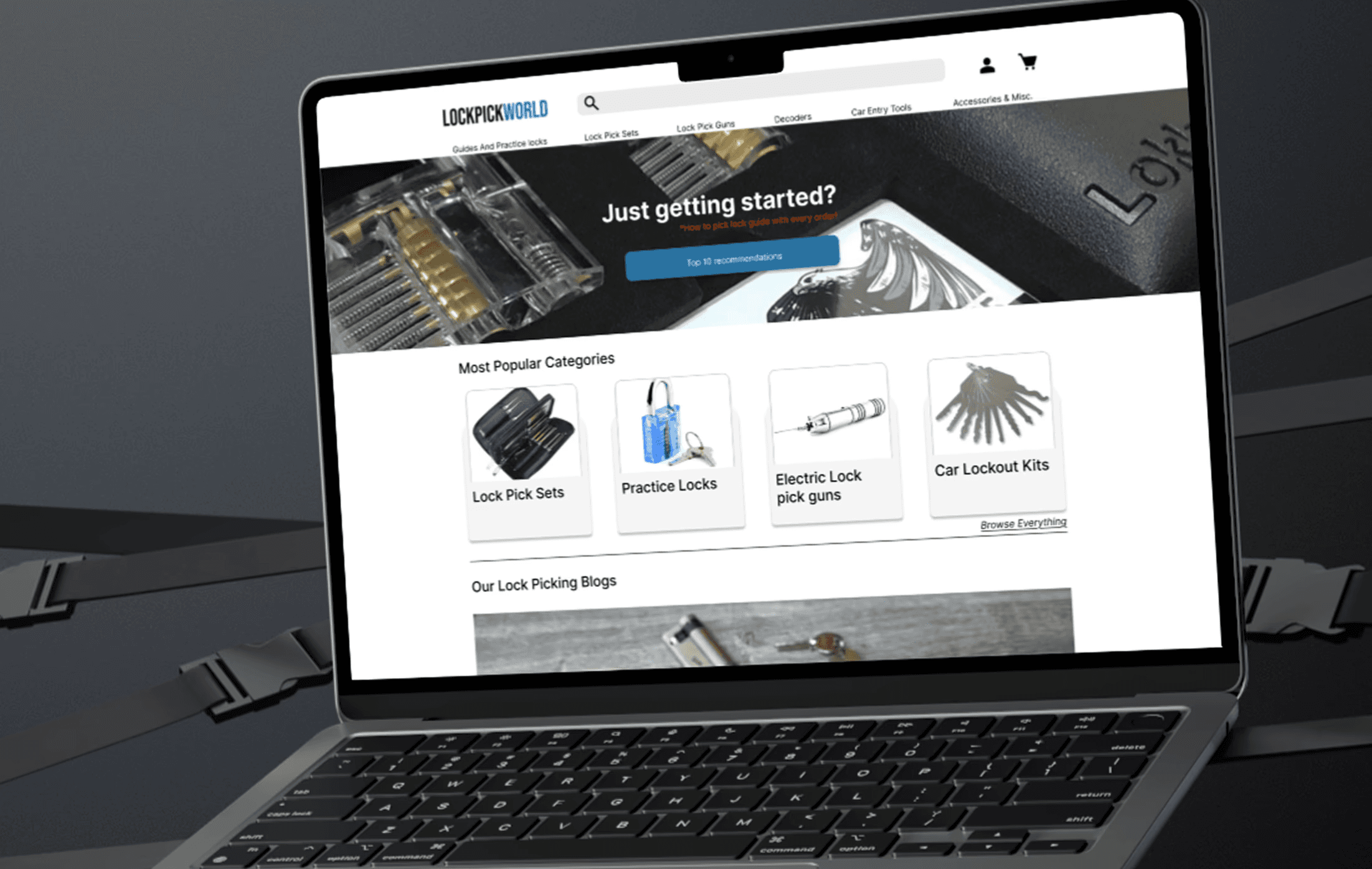
The Objective
My focus for this project was on enhancing the user experience of Lock Pick World, a website that caters to individuals interested in learning about and purchasing lock-picking tools.
The study involved extensive user research, usability testing, and iterative design improvements to address pain points and create a more seamless experience for beginners and enthusiasts alike.
Research
User research proved to be a challenging aspect of the project. As all of the people I could reach out to were online at the time, many interview participants revealed to only have a basic familiarity with lock-picking or no experience at all. Early interviews lacked deep insights due to poor structure of questioning, but after re-evaluating and revising them and approaching more interviewees. My key take away was:
Many potential users were interested in lock-picking but lacked a compelling reason to start.
Synthesis
My affinity mapping due to the rough early interviews was challenging. As I said , later interviews gave me more insites that I could categorize. But as you can see with the abundant outliers that I have on the side, people had a lot of things to say that didn't really have any correlation with each other.
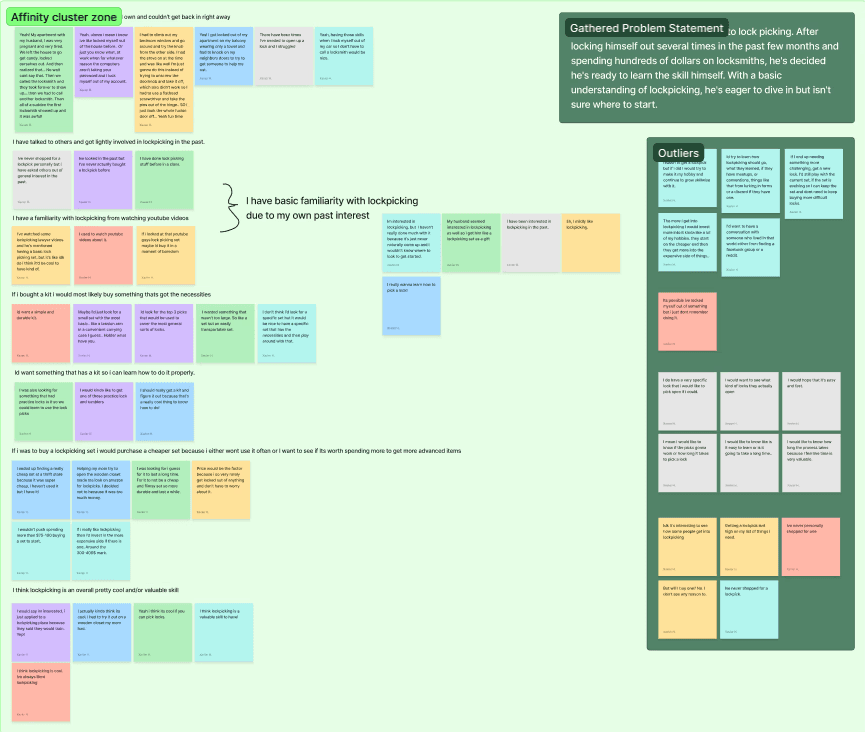
I'm sure if I was able to get more interviews for this topic with people that are more experienced in the lock picking world I would have had more advanced insites. HOWEVER because of this I decided to just try to spin it in a different way.
This leads to our friend Marcus Gribbs. He's the culmination of those I interviewed with a background based off of frequent talking points, those who are interested in getting into lock picking but never pulled the trigger on it because they just haven't had a valid reason to get into it.
Marcus Gribbs
Age: 25
Occupation: Graphic Designer
Background:
Marcus has experienced a string of frustrating lockouts from his apartment. These incidents, typically triggered by an absent-minded moment, have become both costly and annoying. With each locksmith bill, he finds himself questioning whether there’s a more efficient solution. After some research, he developed a basic understanding of lockpicking. However, he doesn’t know where to begin when it comes to building a proper skill set.

Moving on to usability testing. The site itself doesn't look atrocious as you enter it, however the more you dig and the more you interact with it you see it's true ugly head rear back from behind the curtain. The several usability tests that were performed exposed several pain points within the existing site.
Information Overload:
The site was highly informative but overwhelming, with repetitive content and essential details hidden at the bottom of pages.
Filter System Issues:
Adjusting filters caused the page to reset, leading to frustration.
Confusing Pricing Layout:
Users found it difficult to identify which prices corresponded to which items.
Unclear Product Listings:
The Product Listing Page (PLP) lacked clear indications of stock availability, and some links didn’t lead to proper Product Detail Pages (PDPs).
Clunky Cart & Checkout:
Users were distracted by redundant information.
Another issue that I noticed was that a lot of the dropdowns on the site had a lot of out of place or categories that seemed to only make sense to those who are aware of what name brands are for lockpicking.
I found some willing users and had them perform a card sort using items pulled from the shop, they were randomly screenshot and placed inside of a card sort for them to well.. sort.
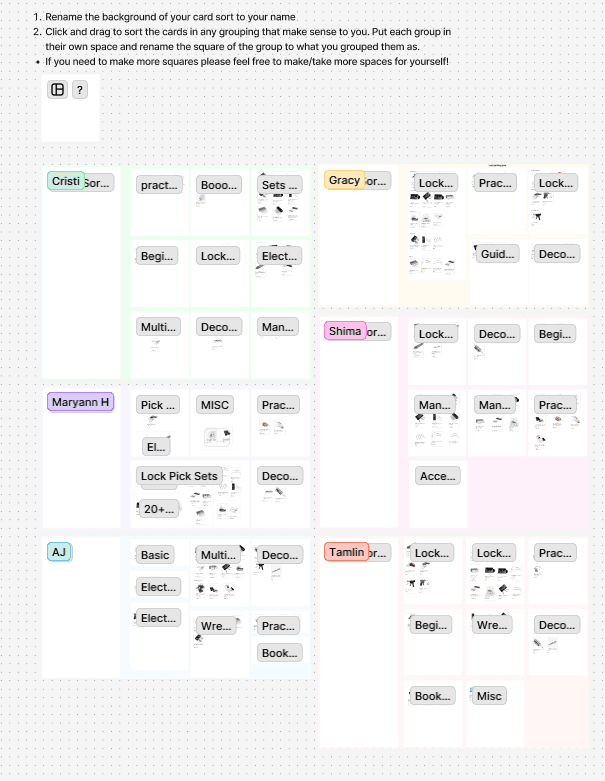
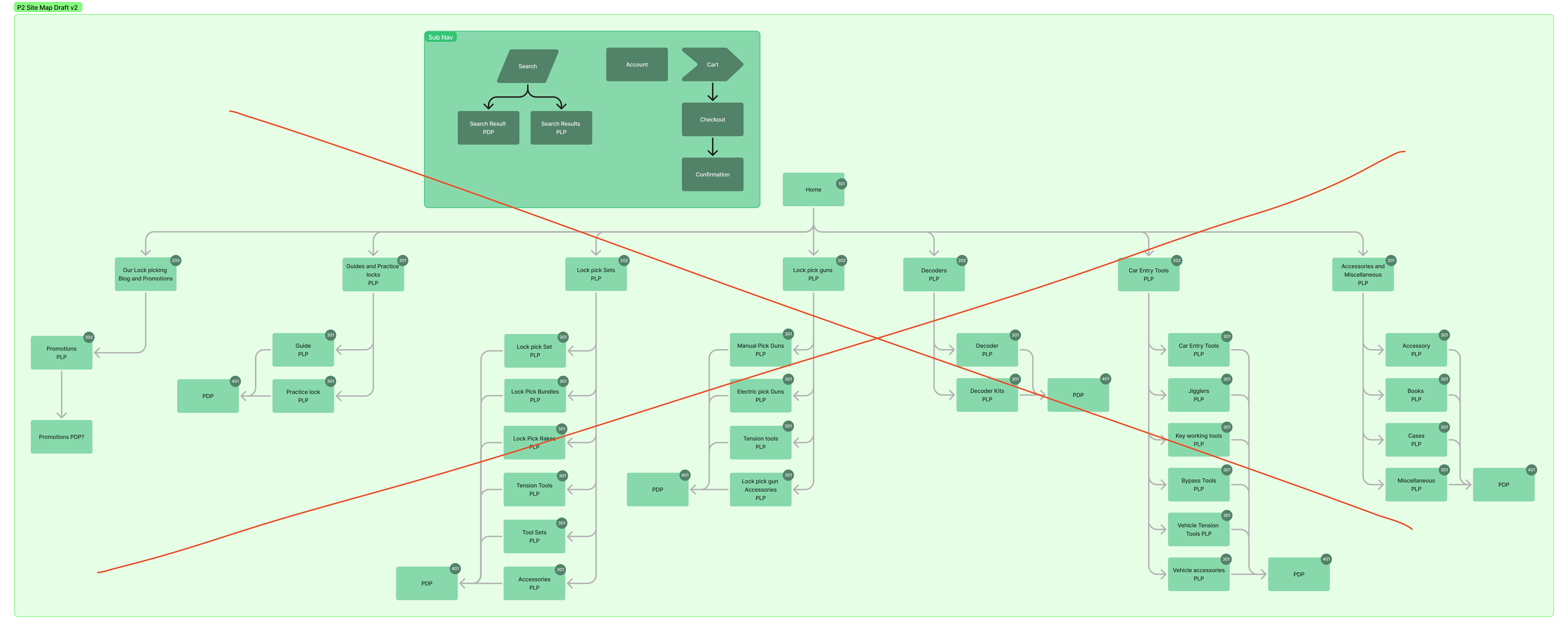
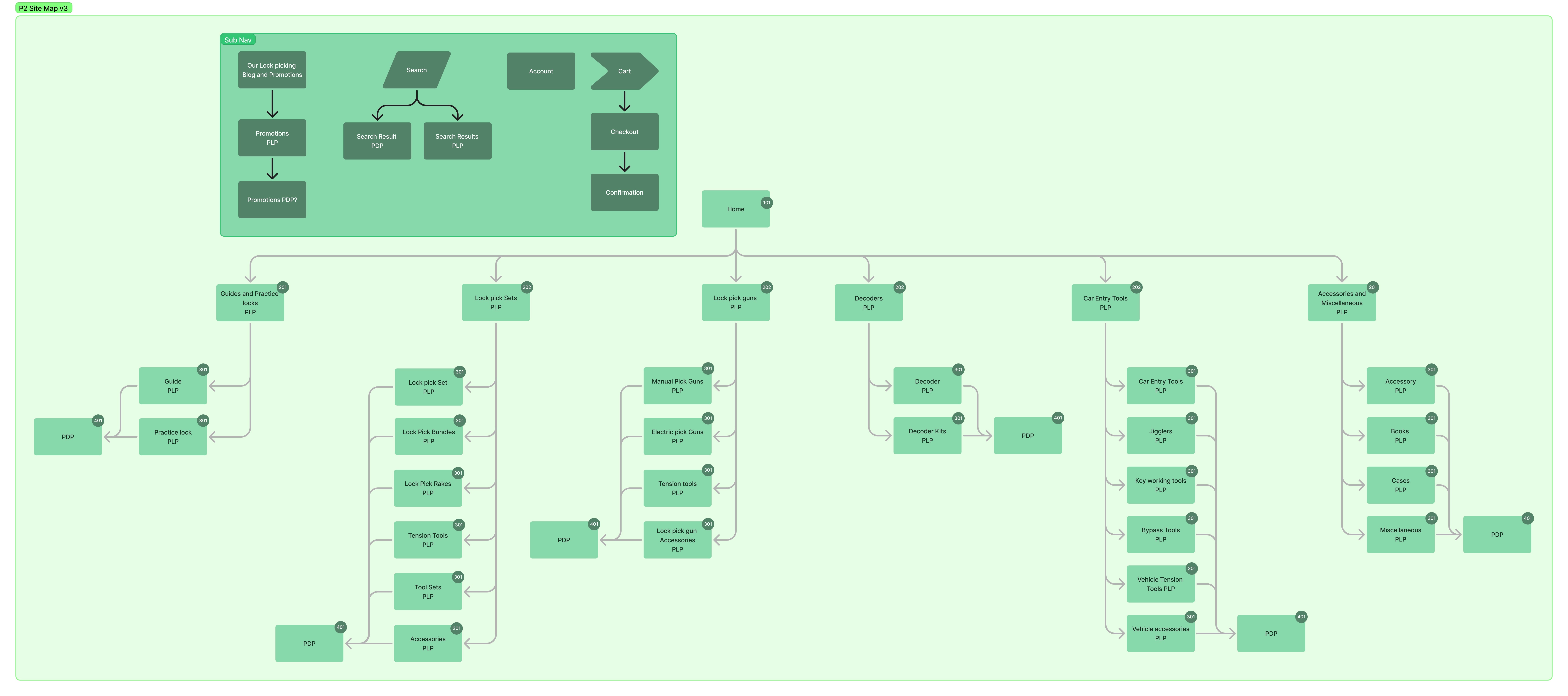
Once the sort was finished and my users set loose to wander whatever field they came from, I saw a pattern appear from their work, which allowed me to create a sitemap… well actually 3 sitemapes.
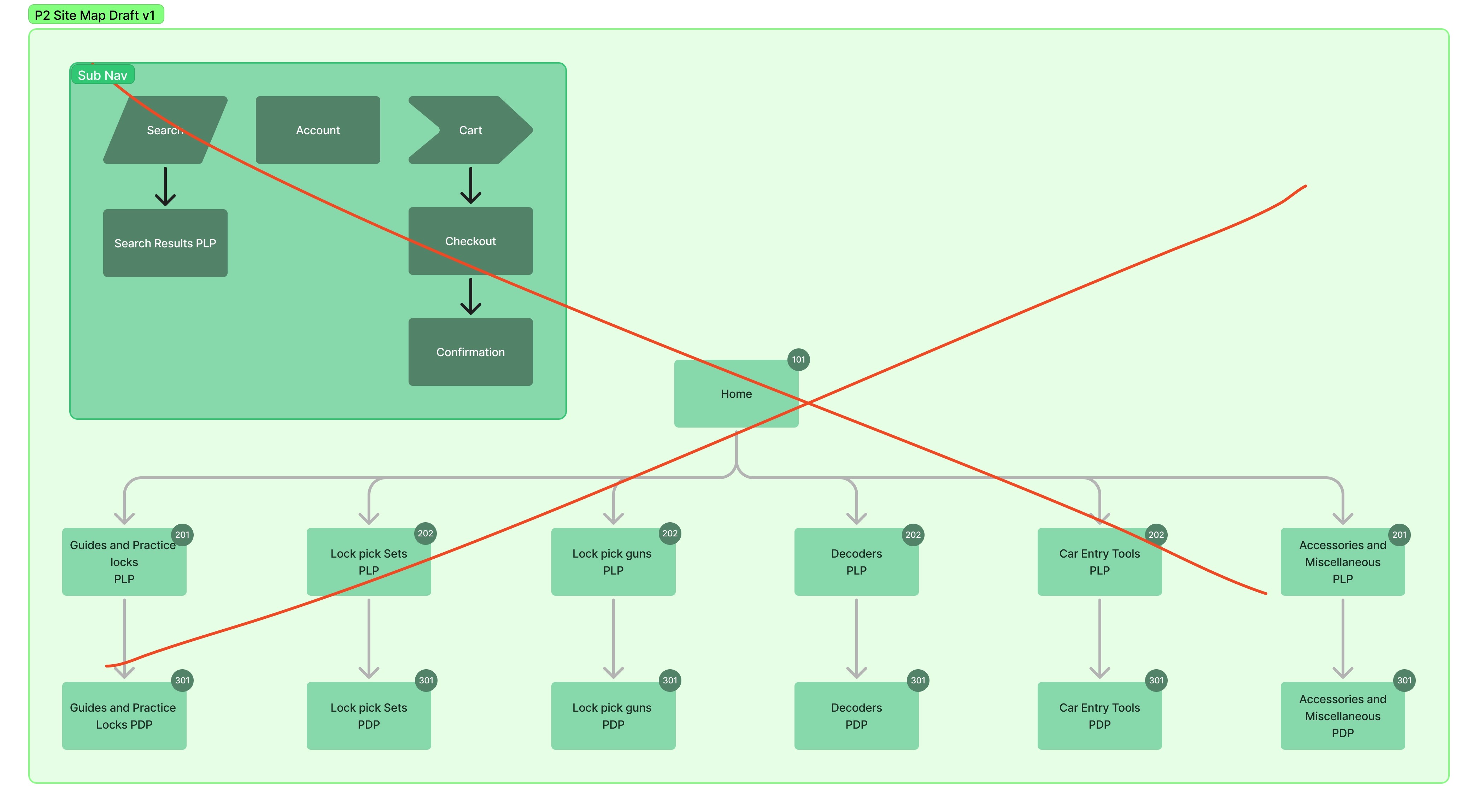
As I went with future iterations I began to understand what I should be looking for, so I expanded it further. My second sitemap begged the question 'Do all of these broken out make sense, and also what the heck should I do with their blogs?' They had a ton of useful information in them but as they were laid out on the main site it wasn't accessible. So I thought of the solution to put it in a Sub Nav and I made a note to try and find a way to make it more accessible and bring attention to it so that Bartholomew could find it.
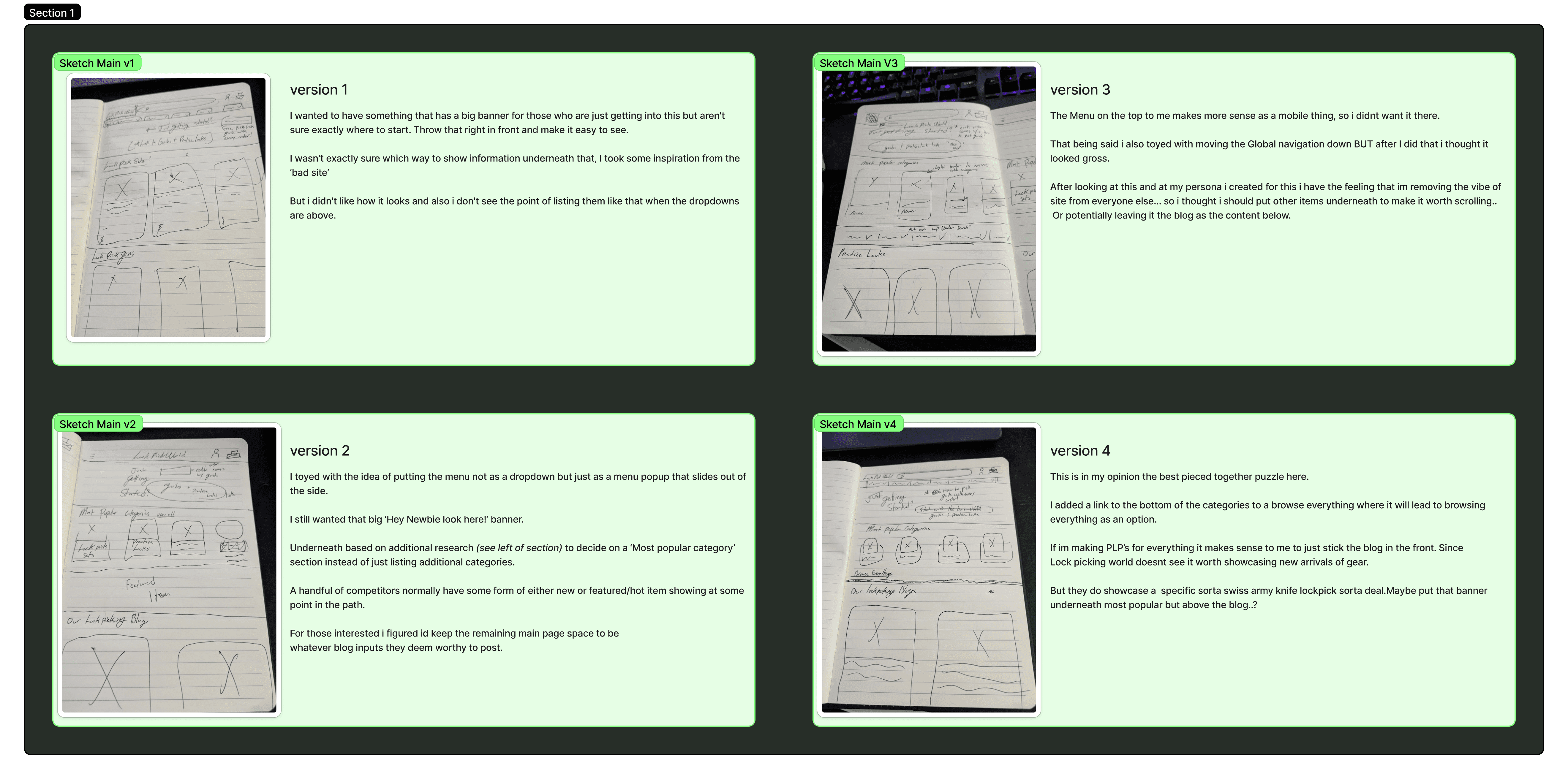
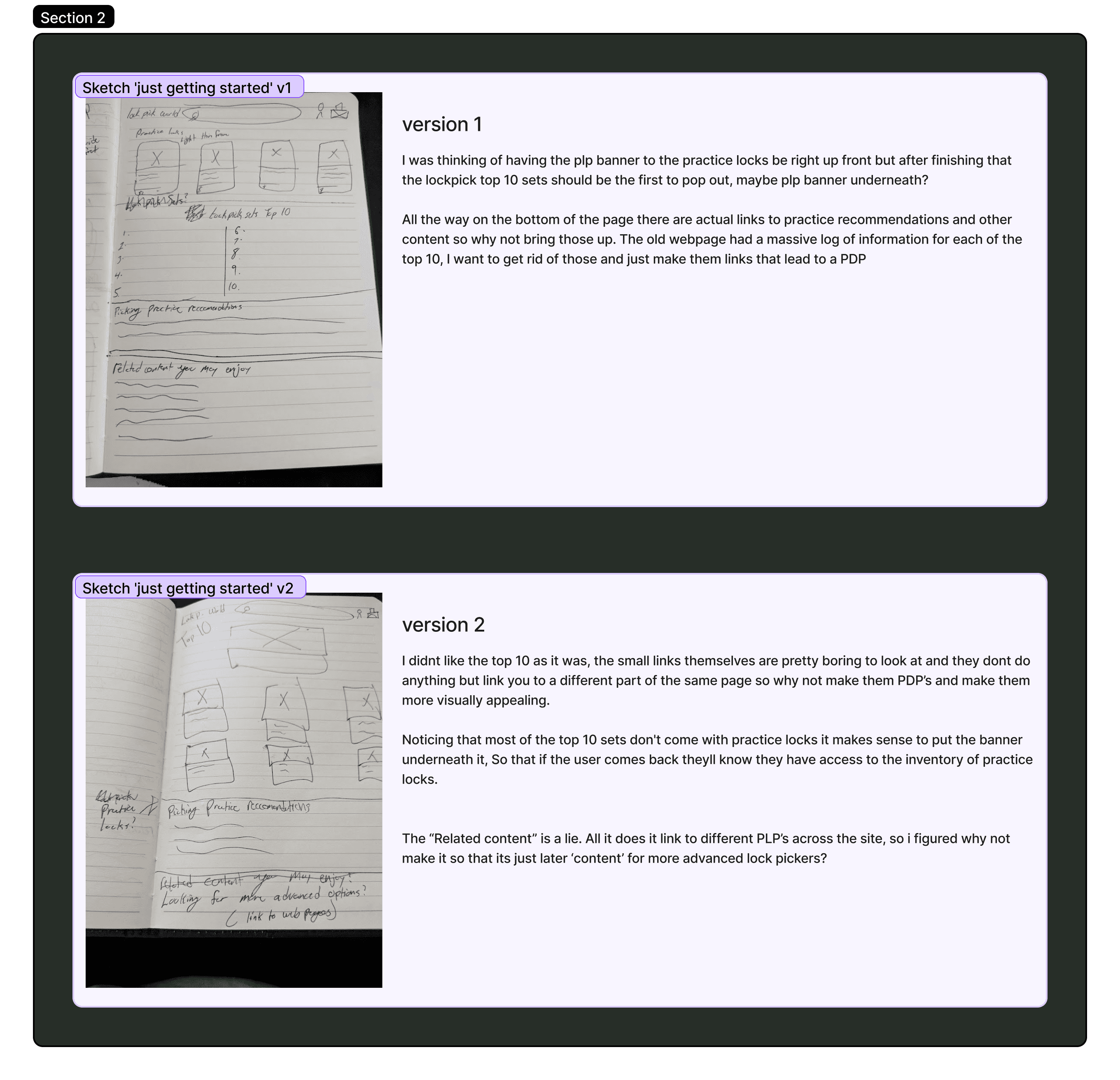
Based on my user research, I aimed to create a more welcoming experience for newcomers by featuring a prominent top banner with a direct link to a Product Listing Page (PLP) showcasing the top 10 recommendations. The original site attempted this, but its unclear wording and unusual guide presentation for beginners only added to the confusion. As I developed my sketches, I frequently revisited insights from Mr. Gribbs and my user research to steer the design back on course. In the end, I shifted the page’s focus to the blog, which hides a wealth of resources and articles for users who want to explore further.
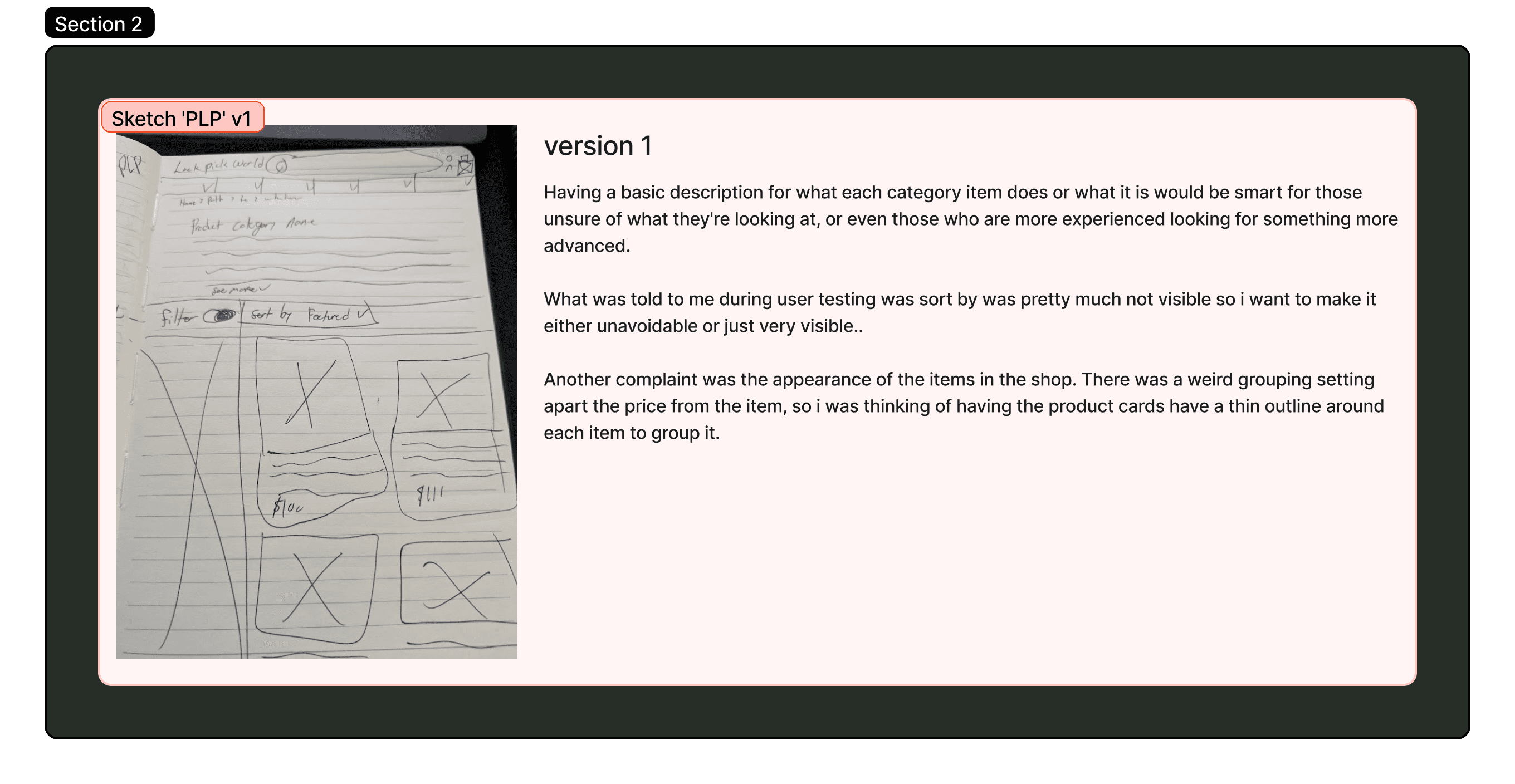
I also reimagined several key components of the site. The initial Lock Pick World’s guide PLP was poorly executed, linking to a clunky, oversized PDP that offered an unbalanced presentation. To address this, I redesigned the PLP to include clearer recommendations, appropriate filtering options—such as clearly indicating sold-out items—and supplemental content.
My sketches even included two PLP variations: one highlighting the top 10 picks and another offering a broader range of products for those not fixated on rankings.
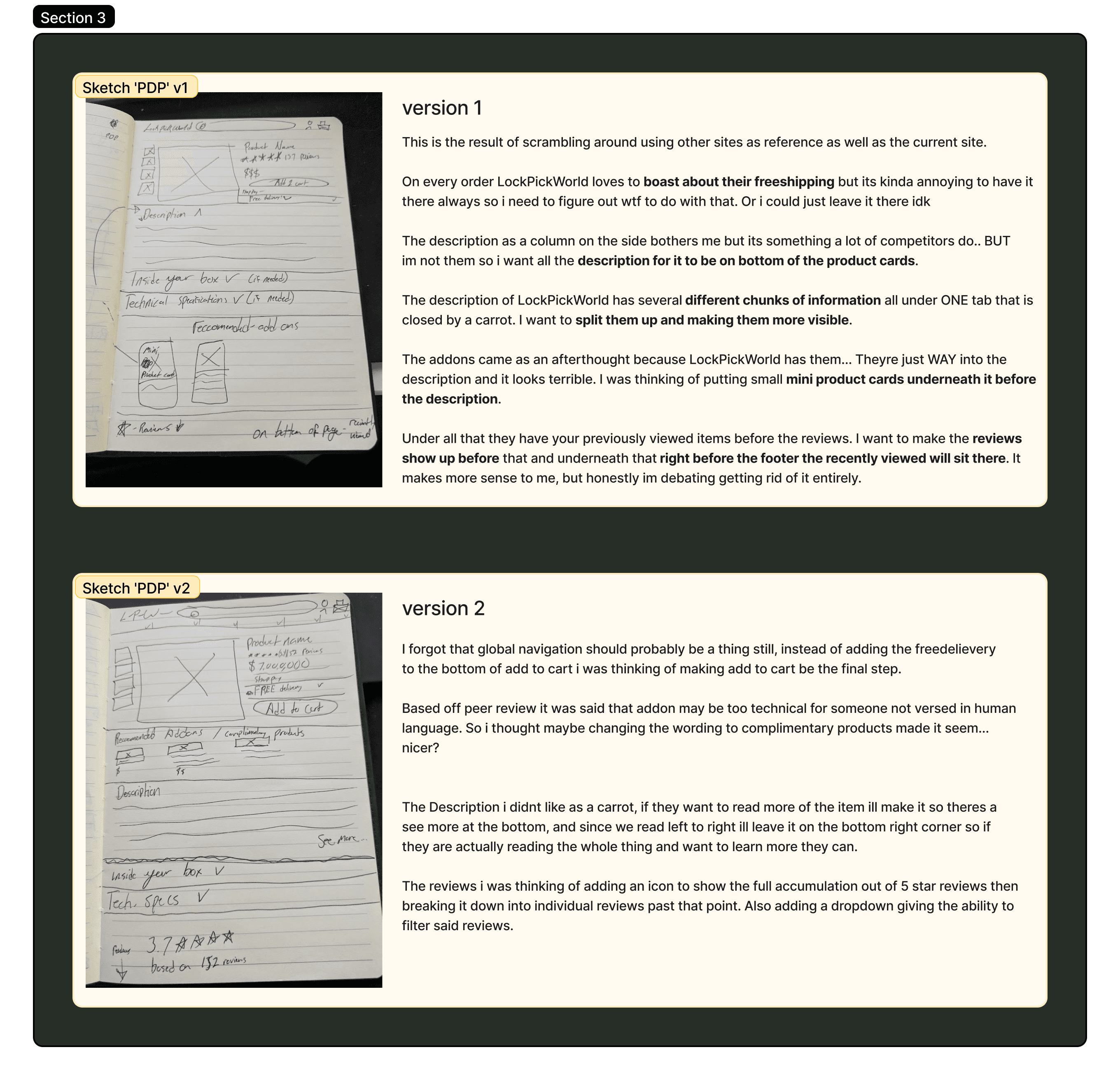
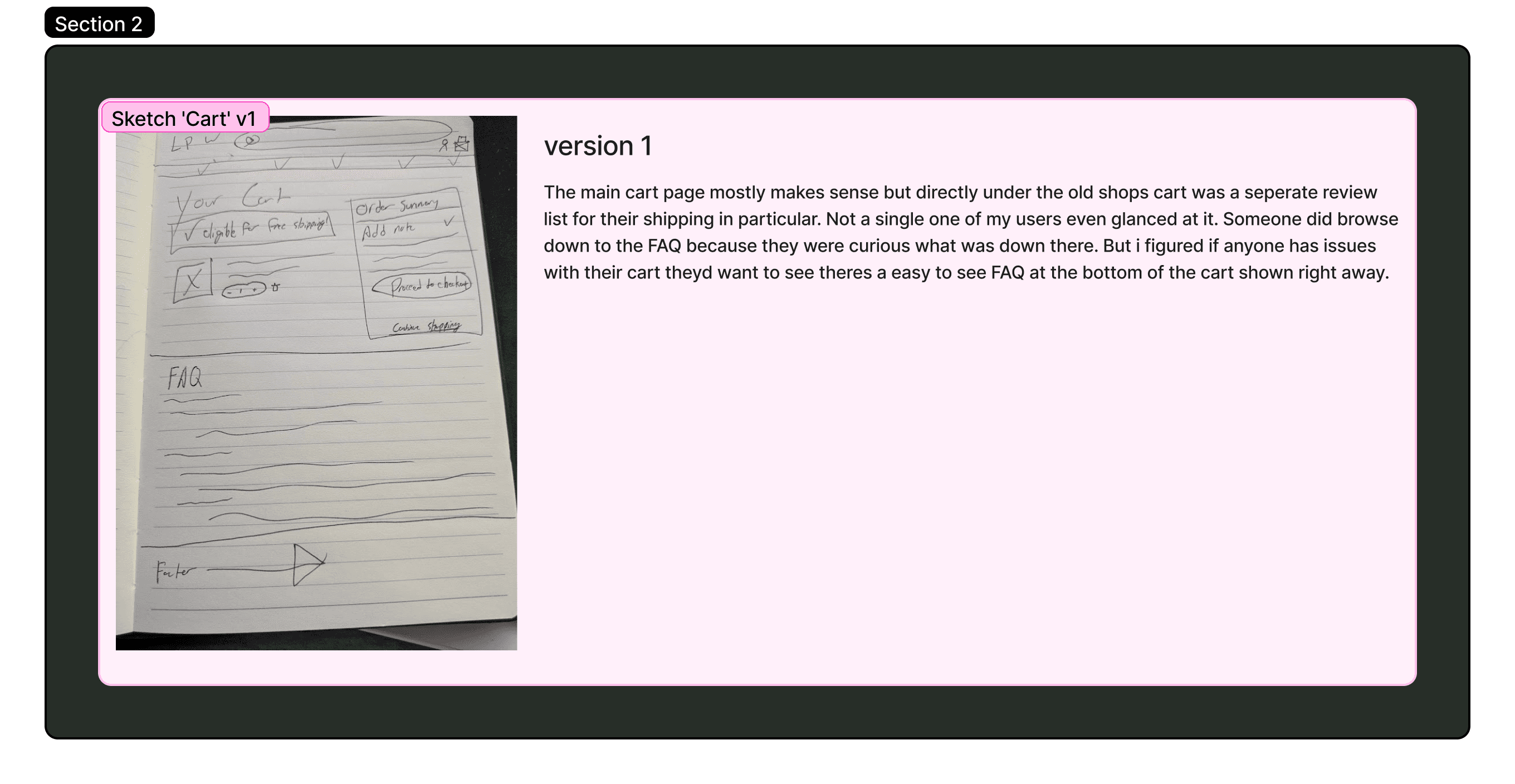
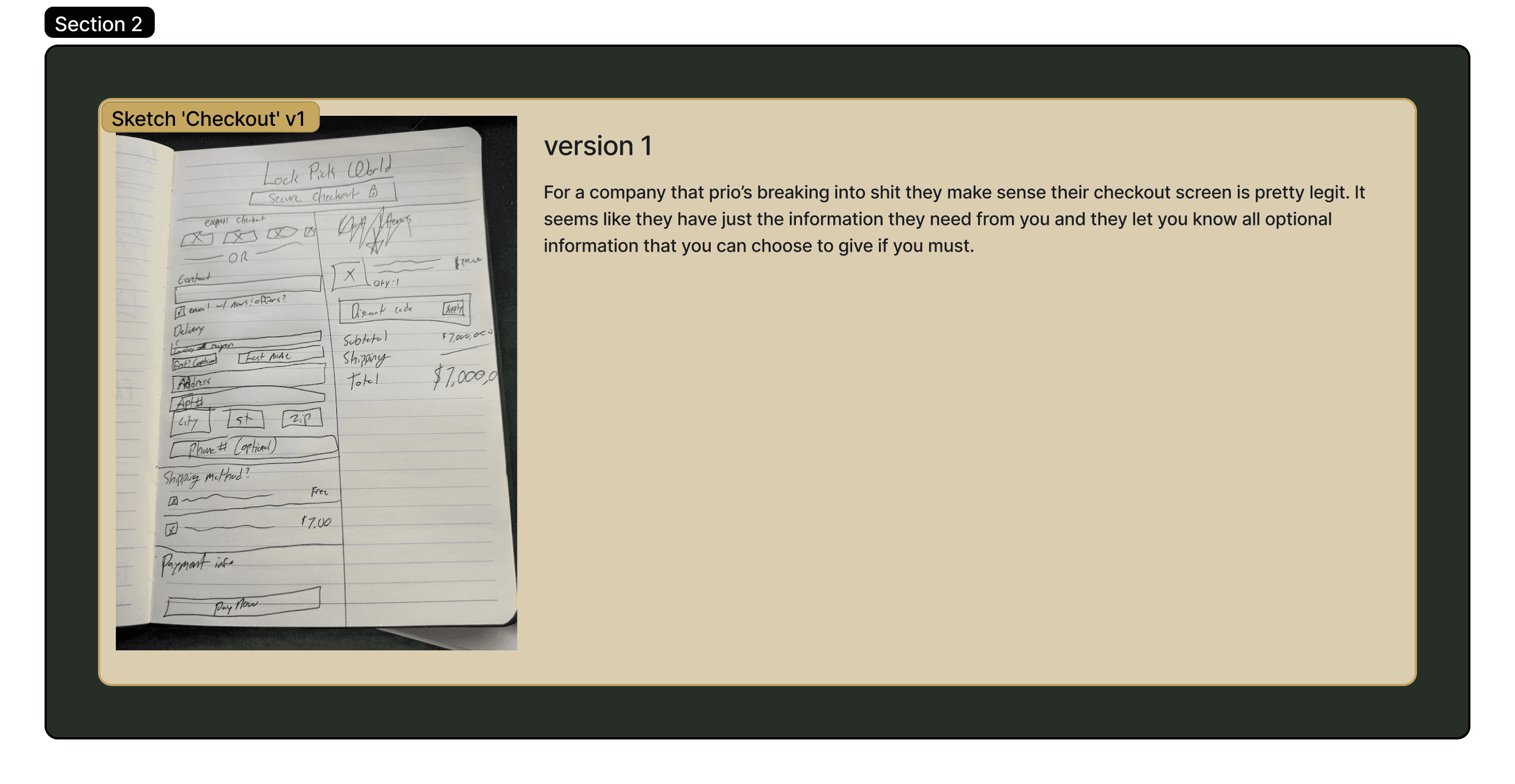
The PDP underwent its own transformation as well, with a reorganization of the excessive dropdown information into a more reader-friendly layout. Streamlining the cart and checkout pages was relatively straightforward; I removed redundant details and provided concise, easily accessible links, keeping in mind that users tended to ignore lengthy content. This comprehensive revision also refined the task flow, enabling users to seamlessly navigate from search or category selection to a PLP, then to a PDP, and finally through checkout.
Ideation
Using these sketches I went into Figma and created wireframes.
The Final Result